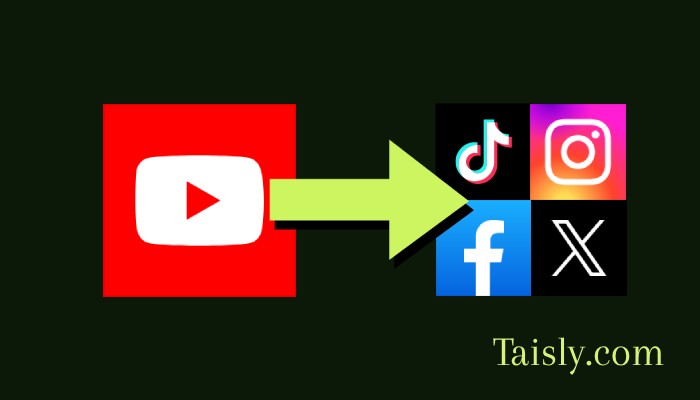

Short answer: if you made the Short and control the rights to everything in it, repost it from the clean file you exported before uploading to YouTube. Use a YouTube Studio download only when the original is unavailable, because the downloaded copy may have been processed by YouTube and may not include every element exactly as viewers saw it. Then rebuild the caption, title, cover, audio, and call to action for the destination.
This article is about republishing your own Short. It is not a method for downloading another creator's video or bypassing their permission. A public video is still protected content.
Confirm what you own before moving the file
Owning the channel does not always mean you can reuse every part of a Short everywhere. Check the components separately:
- You recorded or licensed the footage.
- You have permission to reuse any guest appearance, customer clip, stock asset, logo, or artwork.
- The music and sound effects are cleared for the destination platform.
- The script, voiceover, and graphics belong to you or are covered by a suitable license.
- A client agreement allows publication on the new account and platform.
Music is the usual trap. A track available through YouTube's product experience may not carry over to TikTok, Instagram, or X. The same applies in reverse. If your clean master contains licensed music, read the license rather than assuming that an earlier upload proves cross-platform rights. When in doubt, export a version without the track and add music from the destination's own licensed library.
If the Short contains a paid partnership, contest disclosure, health claim, or price, review that text too. The content may be yours while the disclosure or offer has become outdated.
Use the clean source file when you have it
The best reposting source is the video exported from your editor before any social platform processed it. It should have no YouTube interface, watermark, platform-specific end screen, or baked-in prompt such as "subscribe below."
A clean source gives you more control over:
- Image quality after the next platform encodes it.
- Subtitle placement and safe areas.
- Music and voice tracks.
- The opening frame and cover.
- Platform-specific text or calls to action.
- Alternate crops if the original was not vertical.
Look in the project folder, cloud storage, phone gallery, camera card, editing app, or shared client drive. Also check whether the editor saved a final render under an unhelpful name such as final-final-2.mp4. Finding that file is usually worth the extra few minutes.
Do not screen-record your own Short unless no other lawful copy exists. Screen recording captures interface elements, playback compression, notifications, and possible frame-rate problems. It also makes later editing harder.
What to expect from a YouTube Studio download
When the source export is gone, YouTube Studio may let you download a video from your own channel. In Studio, open Content, find the video, open its options, and choose Download if that action is available for the video and account. YouTube documents the current conditions in Download videos that you've uploaded.
Treat this as a recovery copy, not a replacement for your archive. YouTube processes uploaded video for delivery, so a downloaded file can differ from the original export in resolution, bitrate, codec, or audio treatment. Availability can also depend on the video's status and rights-related conditions. Studio controls change over time, so use YouTube's current Help pages if the menu does not match these steps.
Check the downloaded file before editing:
- Play it from beginning to end.
- Confirm that audio remains synchronized.
- Inspect fast motion, small text, gradients, and dark scenes for compression artifacts.
- Check resolution, orientation, and file length.
- Compare it with the published Short if an important visual or sound seems absent.
Captions deserve a separate check. Closed captions stored as a YouTube caption track are not necessarily burned into the downloaded video. If the destination needs visible subtitles, export the caption file from your own workflow when available, recreate the subtitles, or burn a reviewed subtitle track into a new master. Do not assume that selecting captions during YouTube playback changes the file you download.
Decide whether captions should be baked in
Baked-in subtitles make the message readable when viewers watch without sound and keep styling consistent. They are also harder to correct, translate, or move away from interface controls.
A practical setup is to keep two assets:
- A clean video master without subtitles.
- A reviewed vertical version with subtitles placed inside a conservative safe area.
Upload native captions when the platform supports them and when you can review timing and spelling. Native captions may be accessible to more viewers and easier to update. For highly designed short-form video, burned-in captions can still be useful, but keep a clean version for future languages and layouts.
Names, product terms, numbers, and technical vocabulary often fail automatic transcription. Watch the entire repost with captions enabled instead of checking only the first line. The Video Safe Zone Checker can help you spot subtitles or logos that destination controls may cover.
Adapt the Short instead of copying the YouTube wrapper
A YouTube Short has a title, description, channel context, and comment culture. Those elements do not map neatly to every destination.
For TikTok, write a caption that fits the conversation around the clip. Remove "subscribe" language unless there is a reason to direct viewers to YouTube. If you add a sound in TikTok, confirm that it does not fight with the original voiceover.
For Instagram Reels, choose a cover that still reads in the profile grid. Add context that gives people a reason to save or share the Reel. Check that tags and mentions point to accounts that exist on Instagram.
For X, the text accompanying the video often carries more context. A concise observation, source note, or specific question is more useful than pasting the YouTube title. X can be a posting destination for your video; do not treat an X post as a source file for this workflow.
YouTube titles can be search-oriented. TikTok and Reels captions can be more conversational. Keep the claim and meaning consistent, but rewrite the introduction for the place where it will appear.
A reliable reposting workflow
- Find the cleanest lawful asset. Prefer the original export. Use your Studio download only as a fallback.
- Verify rights by component. Check footage, people, music, graphics, and client permissions.
- Watch the file locally. Look for missing audio, compression, glitches, or burned-in platform references.
- Make a destination version. Adjust the opening, crop, subtitles, cover, and end card only where needed.
- Write fresh metadata. Prepare a TikTok caption, Reels caption, or X post rather than copying the YouTube title blindly.
- Upload a test. Preview the post before publishing and check the crop, caption, sound, cover, and account.
- Inspect the live post. Confirm that processing completed and that the published version looks and sounds right.
- Archive what you used. Save the master, destination exports, captions, rights notes, and published URLs.
For occasional posts, manual uploads are fine. For a recurring workflow, Taisly supports YouTube as a source and can send eligible video to supported destinations such as TikTok, Instagram Reels, and X. Test one Short before enabling a repeated flow, and keep destination-specific captions under editorial control.
The broader guide to reposting YouTube Shorts to other platforms covers distribution choices. The narrow rule here is simpler: prove ownership, start from the cleanest file, and rebuild the post for its new setting.
Final pre-publish check
Before tapping publish, answer five questions: Is this my content to reuse? Is this the cleanest copy I have? Is the music allowed here? Can viewers read the captions without interface elements covering them? Does the caption sound as though it belongs on this platform?
If all five answers are yes, you are reposting your own Short as a prepared new publication, not merely recycling a downloaded copy.